

Description
GMapEx – Google Maps Data Extractor
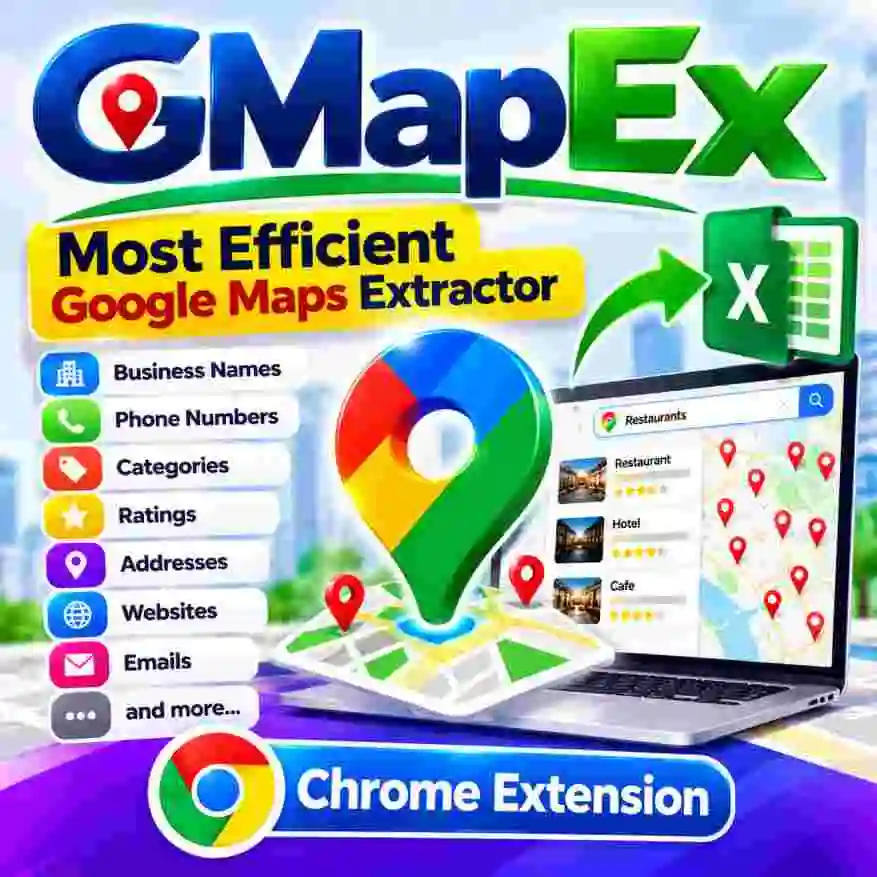
GMapEx – Google Maps Business Data Extractor Chrome Extension
Turn Local Business Searches Into Business Opportunities
Looking for a convenient way to collect local business information for your marketing and sales campaigns? GMapEx is a business data extraction Chrome extension designed to help streamline the process of gathering available business information from map-based search results.
Whether you are a digital marketing professional, lead generation specialist, sales consultant, SEO agency, freelancer, or entrepreneur, GMapEx can help you organize business prospect information and reduce repetitive manual data collection.
Why Choose GMapEx?
Manually researching businesses can consume valuable time. GMapEx provides a more convenient workflow for collecting available business information and organizing it for further research, prospecting, and marketing activities.
Key Features of GMapEx
📍 1. Business Name Extraction
Collect available business names from relevant search results to build organized prospect lists for research and sales planning.
📞 2. Phone Number Collection
Gather available business phone numbers to support legitimate business enquiries and customer outreach.
🏷️ 3. Business Category Information
Identify business categories to help organize prospects by industry, niche, or service type.
⭐ 4. Business Ratings
Review available business ratings to support market research and prospect analysis.
📌 5. Business Address Collection
Organize available business addresses to research local markets and identify potential customers by location.
🌐 6. Website URL Collection
Find available business website links for further research, qualification, and prospecting.
📧 7. Email Address Extraction
Collect email addresses when available and supported by the data source and extension workflow.
📊 8. Excel/CSV Data Workflow
Organize extracted business information for spreadsheet-based research, filtering, analysis, and lead management.
Who Can Benefit From GMapEx?
GMapEx can be useful for:
- Digital Marketing Agencies: Research local businesses for relevant marketing services.
- Lead Generation Professionals: Build and organize business prospect lists.
- Sales Teams: Identify potential B2B customers by industry and location.
- Local SEO Consultants: Research businesses in specific service areas.
- Freelancers: Discover potential clients for website design, SEO, advertising, and related services.
- Market Researchers: Organize publicly available business information for analysis.
- Entrepreneurs: Explore local markets and identify potential business opportunities.
How GMapEx Works
- Install the GMapEx Chrome extension using the supplied installation instructions.
- Open the supported map-based search interface.
- Search for relevant business types or locations.
- Use the extension’s available extraction features to collect supported business information.
- Organize and export the resulting data using supported formats and workflows.
License activation: Your GMapEx license is associated with the registered mobile number. Enter your license key and registered mobile number in the activation window. The licensing server verifies your details before activation.
Turn Business Information Into Actionable Research
With GMapEx, you can streamline business prospect research, organize local business information, and support your sales and marketing workflows.
Get started with GMapEx and simplify your business data collection process!
Product Support
For product enquiries, licensing details, installation assistance, or activation support:
WhatsApp: +91 70444 32123
Important information: Data availability depends on the source and the information provided in search results. Use collected information responsibly, respect applicable privacy and marketing laws, and comply with the relevant platform terms. GMapEx is a third-party product and is not affiliated with or endorsed by Google. Do not use the extension in ways that violate applicable platform policies or restrictions on data extraction.
Need the AI Version Click Here




Reviews
There are no reviews yet.